Pinterest Video and Image Sizes 2026
Pinterest image size requirements for 2026: standard pins, video pins, and Idea Pins, every dimension and format. Updated monthly.
Pinterest Standard Image Pin Specs
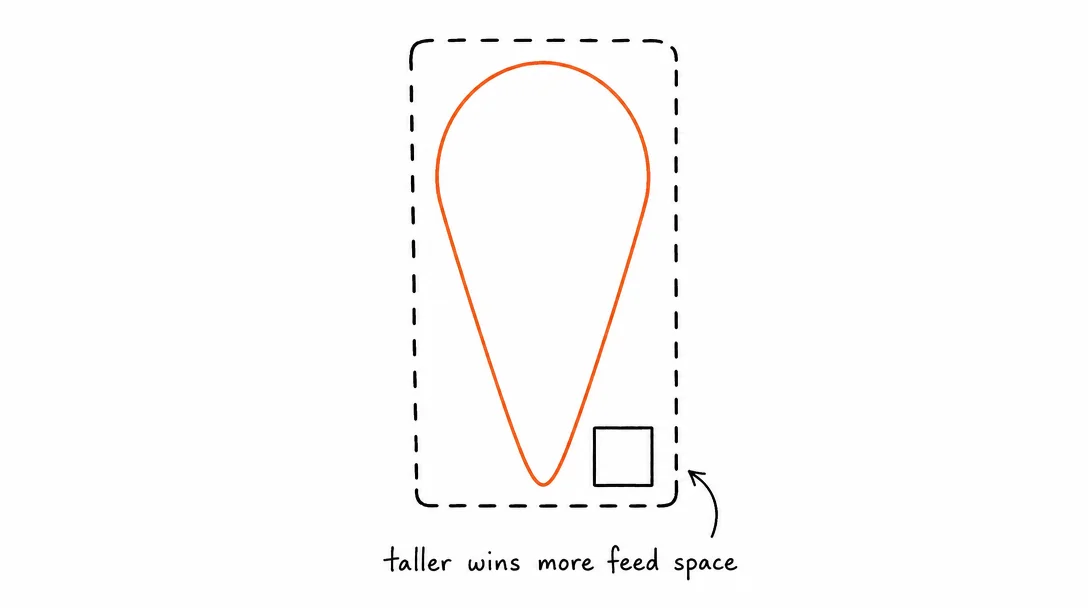
Pinterest is a visual search engine. Taller pins take more vertical feed space and outperform square or landscape images. Always use 2:3 as your default ratio.
| Setting | Value |
|---|---|
| Recommended aspect ratio | 2:3 vertical (1000×1500px), maximum feed real estate |
| Square | 1000×1000px (1:1) |
| Max pin length | 1:2.1 ratio (1000×2100px), pins taller than this are clipped |
| Min width | 200px |
| File formats | JPEG, PNG, WebP |
| Max file size | 32MB |
| Color profile | sRGB recommended |
Pinterest Video Pin Specs
Video pins play natively in the Pinterest feed and in search results. They follow the same tall-format logic as image pins, 2:3 or 9:16 outperforms 16:9 landscape.
| Setting | Value |
|---|---|
| Recommended aspect ratio | 2:3 (1000×1500px) or 9:16 (1080×1920px) |
| Square option | 1:1 (1080×1080px) |
| Duration | 4 seconds – 15 minutes; 15–60 seconds recommended |
| File format | MP4, MOV, M4V |
| Video codec | H.264 |
| Max file size | 2GB |
| Min resolution | 240p |
| Recommended resolution | 1080p or higher |
Pinterest Idea Pin Specs
Idea Pins are full-screen multi-slide content. Each slide can be an image or a short video. No external link, designed for step-by-step tutorials and educational content.
| Setting | Value |
|---|---|
| Aspect ratio | 9:16 vertical (full-screen) |
| Resolution | 1080×1920px |
| Max slides | 20 pages per Idea Pin |
| Video per slide | Up to 60 seconds |
| Image formats | JPEG or PNG |
| Video formats | MP4 or MOV |
| Max file size per slide | 100MB (video), 32MB (image) |
Pinterest Image Optimization: File Size, Color, and Compression
Pinterest image size requirements are just the starting point. How you optimize within those constraints determines whether your pin looks sharp or washed out in the grid.
File format choice: JPEG for photography and complex images. PNG for graphics, text overlays, and images with large areas of flat color. JPEG compresses photos well; PNG preserves sharp edges on text and icons. WebP works on Pinterest but support is less consistent across all devices.
Color profile: Export images in sRGB. Pinterest converts other color profiles, which can make saturated colors appear different from what you designed. This is especially visible with brand colors, a coral that looks right in Adobe RGB can look flat in the Pinterest feed.
File size vs quality: Pinterest's 32MB limit is generous. Don't compress aggressively to hit a small file size. Pinterest re-compresses pins internally, the lower the quality of your uploaded file, the more visible the compression artifacts in the final display. Upload at the highest quality JPEG (85%+) or lossless PNG.
Text overlays: Pinterest is a visual search engine, and pins with text overlays consistently drive higher click-through rates. Keep text to 20% or less of the image area, use high-contrast colors, and avoid placing text at the very top or bottom where Pinterest's UI elements overlap.
Aspect ratio impact on search: Pinterest's search results grid shows pins at their actual ratio. A 2:3 pin takes 33% more vertical space than a 1:1 square pin in the same column. More space in search results means more impressions from users scanning the grid, the single biggest reason 2:3 is the recommended Pinterest image size.
Pinterest vs Instagram: Why the Same Image Performs Differently
Pinterest image size requirements and Instagram image specs look similar on paper (both support portrait, square, and landscape), but the platforms serve completely different user intents, and this changes what you should create.
Intent: Instagram users scroll to discover content from accounts they follow or find interesting. Pinterest users search for specific ideas, products, and tutorials. Pinterest traffic is intent-driven, which is why it drives more website clicks per impression than almost any other platform.
Content shelf life: An Instagram post is essentially dead after 48-72 hours. A well-optimized Pinterest pin with good SEO in the title and description can drive traffic for 2-3 years. This means Pinterest rewards a different kind of content investment, high-quality infographics and product images that stay relevant.
Aspect ratio optimization: 1:1 square is Instagram's safe default. 2:3 portrait is Pinterest's ideal. If you're creating content specifically for Pinterest, design at 1000x1500px, it won't display as well on Instagram (letter-boxed in the feed), but it maximizes Pinterest grid presence.
Video: Video Pins on Pinterest behave more like GIFs in context, they autoplay silently in the feed. Short video loops (15-30 seconds) that communicate visually without audio perform best. On Instagram, vertical video with audio is the primary format. Different content, same file if you plan it right.
Why Pinterest Is Different From Every Other Platform
Pinterest is the only major platform where content has a long shelf life. An Instagram post is irrelevant after 48 hours. A Pinterest pin can drive traffic for years, because Pinterest functions as a visual search engine, not a social feed.
The implication for specs: tall images (2:3 ratio) are more important here than anywhere else, because they dominate more visual space in a grid layout that users scroll slowly and intentionally. A well-made 1000×1500px infographic or product image can accumulate repins over months.
Note: scheduling to Pinterest via the API requires a Pinterest Business account. Converting from personal to business is free and takes two minutes, do it at business.pinterest.com. Xroad Studio handles the OAuth connection and posts at the correct dimensions automatically.
All platform specs
Instagram·TikTok·YouTube·Facebook·X (Twitter)·LinkedIn·Threads·Bluesky
Once you know the specs, schedule from one content calendar, keep every post on-brand with Xroad's brand kit, or see pricing.
FAQ: Pinterest Video and Image Specs
1000×1500px (2:3 ratio) is the standard recommendation. It takes more vertical space in the Pinterest feed than square or landscape images, which means more visual presence. Pinterest's own research shows 2:3 pins get higher engagement than other ratios. Never exceed 1:2.1 ratio or Pinterest clips the bottom.
Related Guides
Apr 26, 2026 · 10 min read
How to Post to 9 Platforms at Once
Stop logging in 9 times. Schedule everything, Instagram, TikTok, YouTube, LinkedIn, and more, from one place.
Apr 26, 2026 · 7 min read
How to Post to Instagram and TikTok at Once
Upload once and publish to both Instagram and TikTok simultaneously. No double-uploading, no app switching.
May 19, 2026 · 8 min read
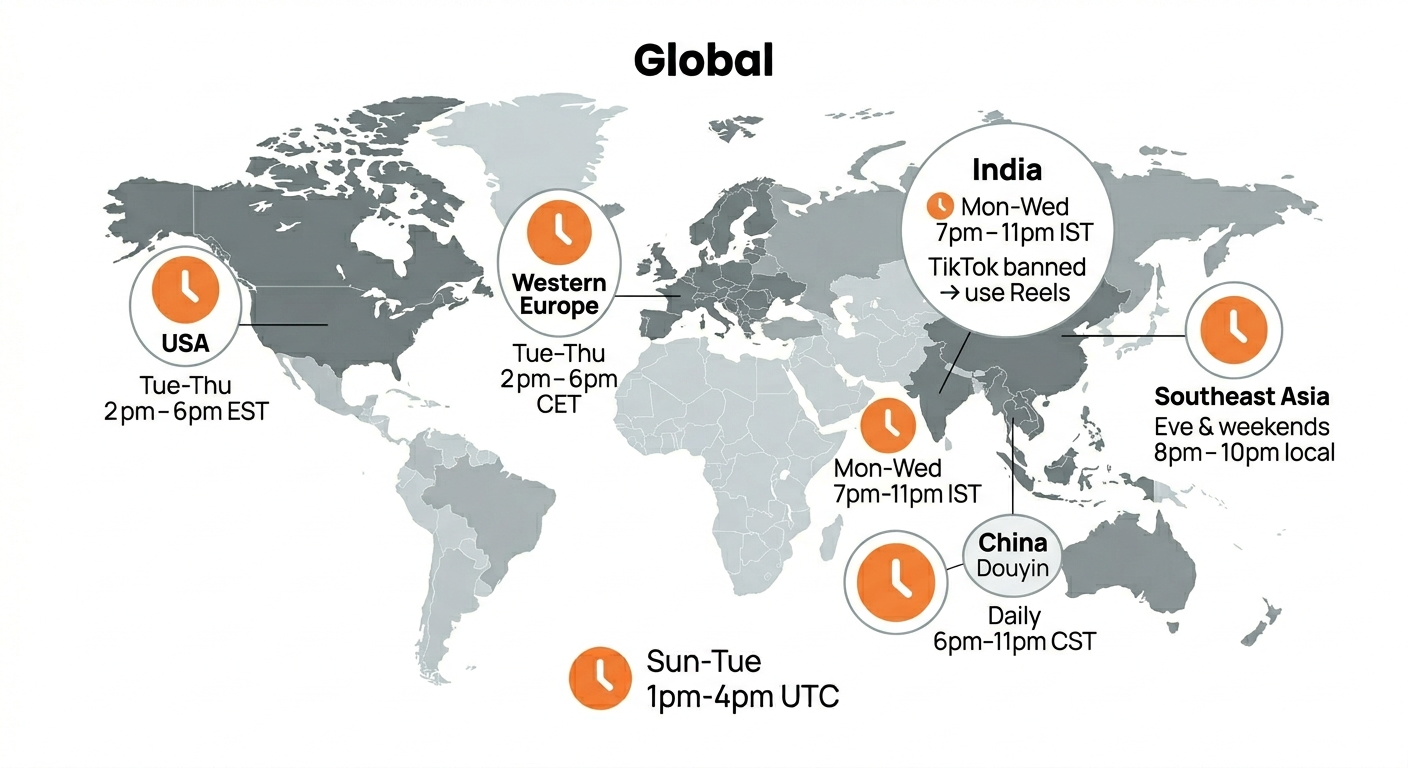
Best Time to Post on TikTok in 2026 (By Region)
Data from 2 billion TikTok engagements. Best posting times broken down by region, USA, Europe, Southeast Asia, and global audiences.
Your brand. One platform. Always on
Create, edit, and post from a single studio.
Start for freeXroad auto-posts to Pinterest at the right dimensions with one click.