TikTok Video Dimensions and Specs 2026
TikTok video dimensions for 2026: aspect ratios, resolution, file size limits, and codec requirements. Updated monthly.
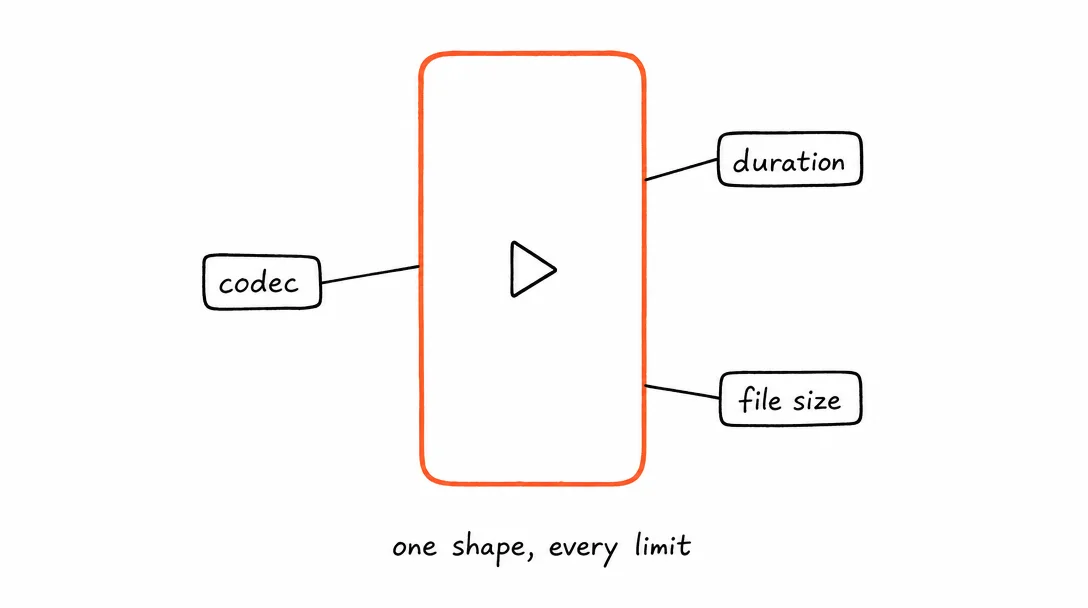
TikTok Video Specs
TikTok's 2026 spec: 9:16 vertical, 1080×1920px, 15 seconds to 10 minutes, MP4 or MOV with H.264/H.265.
TikTok is a vertical-first platform. 9:16 is not optional if you want reach, square and horizontal formats are deprioritized in the For You feed.
| Setting | Value |
|---|---|
| Preferred aspect ratio | 9:16 vertical (fills the full screen) |
| Also supported | 1:1 square, 16:9 horizontal (both display with black bars) |
| Resolution | 1080×1920px recommended, minimum 540×960px |
| Video length | 15 seconds – 10 minutes |
| File format | MP4 or MOV |
| Video codec | H.264 or H.265 |
| Audio codec | AAC or MP3 |
| Frame rate | 23–60fps |
| Max file size (mobile) | 287.6MB (iOS and Android) |
| Max file size (web) | 500MB |
| Recommended bitrate | 2Mbps+ for best quality after TikTok re-encoding |
TikTok Caption and Hashtag Specs
The caption is secondary to the video, but the first 150 characters matter for user experience on the For You feed.
| Setting | Value |
|---|---|
| Max caption length | 2,200 characters |
| Visible before cutoff | ~150 characters (then "...more") |
| Recommended hashtags | 3–5, niche-specific (not generic spam tags) |
| Links in caption | Not clickable for most accounts. Use bio link. |
TikTok Profile and Cover Image Specs
| Setting | Value |
|---|---|
| Profile picture | Minimum 20×20px, recommended 200×200px, circular crop |
| Video cover image | Auto-selected from your video, or upload a custom frame |
| Banner (LIVE) | 1280×720px, JPEG or PNG |
TikTok vs Instagram Reels: Same Content, Two Platforms
TikTok video dimensions and Instagram Reels specs are nearly identical, both use 9:16 vertical at 1080x1920px with H.264. The result: one upload works for both platforms. But the differences in how each algorithm distributes content matter more than the format specs.
Discovery algorithm: TikTok's For You Page is more aggressive about showing content to non-followers than Instagram Reels. New accounts with no audience grow faster on TikTok. Existing Instagram audiences engage more on Instagram.
Caption length: TikTok allows 2,200 characters. Instagram Reels captions are capped at 2,200 too, but the visible preview before "...more" is shorter on TikTok. Write the first 150 characters as a standalone hook.
H.265 codec support: TikTok accepts both H.264 and H.265 (HEVC). Instagram only accepts H.264. If you export in H.265 for TikTok, you need a separate H.264 export for Instagram. The safer default: always export H.264 and it works on both.
File size: TikTok's 287.6MB mobile limit is lower than Instagram's 1GB Reels limit. When cross-posting, export at TikTok's constraints and the file works on both.
The practical rule: export one H.264 file at 1080x1920px, under 287MB, under 10 minutes. Post to TikTok and Instagram simultaneously. The only exception is content over 90 seconds, that needs to go to Instagram as a feed video, not a Reel.
TikTok Quality: What the Platform Downgrades and Why
TikTok re-encodes every uploaded video. The re-encoding reduces file size for efficient delivery on mobile networks but also reduces quality. Understanding how this works lets you upload in a way that minimizes quality loss.
Resolution matters at source: If you upload 720p (1280x720px), TikTok re-encodes to its delivery format starting from 720p. If you upload 1080p (1080x1920px), the starting material is better and the output quality is noticeably sharper on high-resolution phones. Always upload at 1080p.
Bitrate and artifacts: TikTok's target delivery bitrate is roughly 1-2Mbps. If your source file is already at 1Mbps, re-encoding introduces blockiness, especially in motion and low-light scenes. Upload at 4-8Mbps and let TikTok compress, the algorithm has more information to work with and produces cleaner output.
Export settings that work: MP4, H.264, 1080x1920px, 8Mbps, AAC audio at 128kbps or higher. This is the setting that consistently produces the best visual quality after TikTok's re-encoding pipeline.
Frame rate: TikTok displays at 30fps or 60fps. If your content has a lot of motion (sports, action, product demos), 60fps is worth it, fast motion looks smoother and holds attention better. Static or talking-head content: 30fps is fine and saves on file size.
Why Short Videos Outperform Long Ones on TikTok
TikTok's algorithm ranks videos primarily by completion rate, what percentage of viewers watch to the end. A 15-second video that 80% of viewers finish outperforms a 2-minute video that 20% finish, even if the 2-minute video has more total watch time.
This means shorter, tightly edited content gets more distribution. The algorithm interprets a high completion rate as a signal that the content is worth pushing to more people. Start with a hook in the first 1-2 seconds, deliver the value fast, and end clearly.
If you use Xroad Studio to generate and post to TikTok, the video comes out at the correct 9:16 dimensions automatically. No re-exporting for each platform. For official guidance on TikTok video formats, see the TikTok Creator Portal.
All platform specs
Instagram·YouTube·Facebook·X (Twitter)·LinkedIn·Pinterest·Threads·Bluesky
Once you know the specs, schedule from one content calendar, keep every post on-brand with Xroad's brand kit, or see pricing.
FAQ: TikTok Video Specs
9:16 vertical (1080x1920px). TikTok is a full-screen mobile experience. Horizontal or square video plays in a small window with black bars on the sides, which dramatically reduces watch time and reach. Always shoot vertical for TikTok.
Related Guides
Apr 26, 2026 · 10 min read
How to Post to 9 Platforms at Once
Stop logging in 9 times. Schedule everything, Instagram, TikTok, YouTube, LinkedIn, and more, from one place.
Apr 26, 2026 · 7 min read
How to Post to Instagram and TikTok at Once
Upload once and publish to both Instagram and TikTok simultaneously. No double-uploading, no app switching.
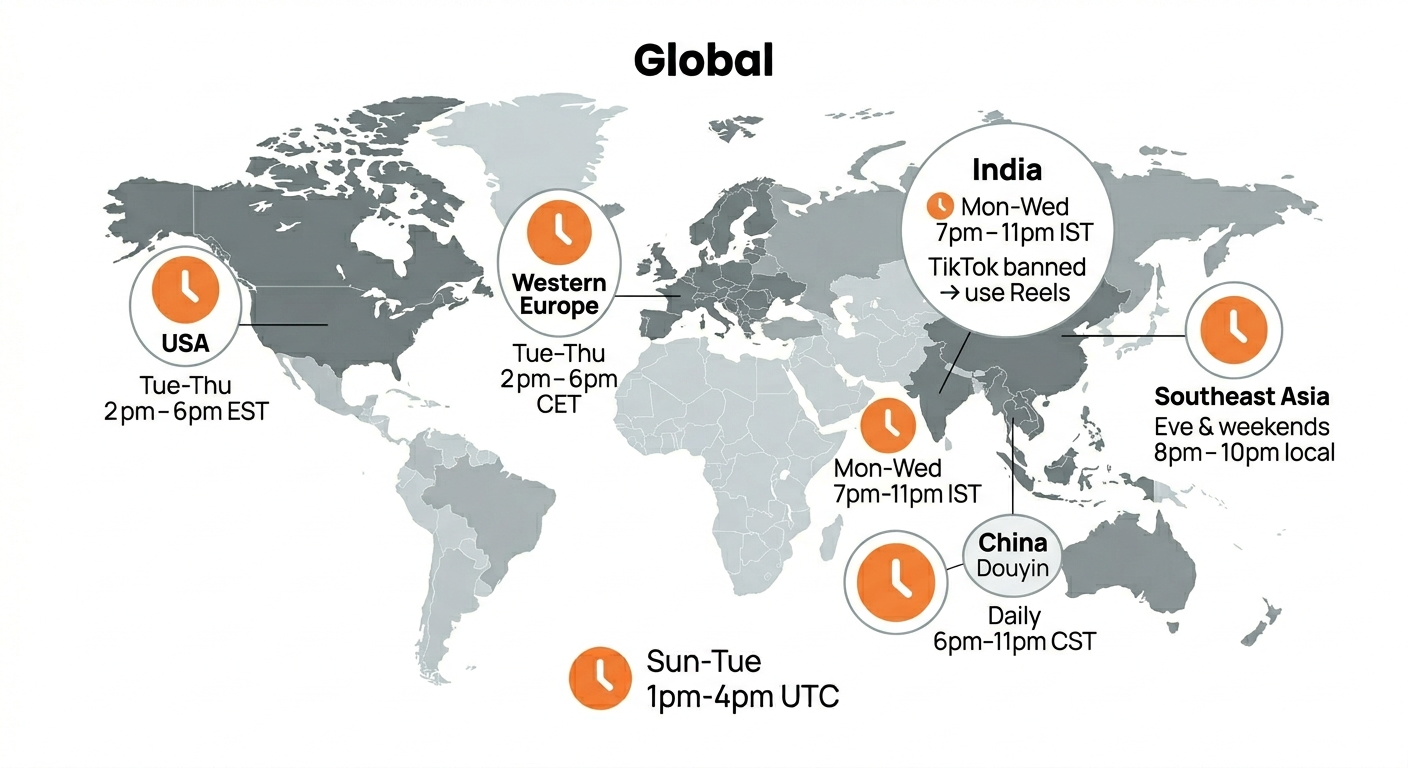
May 19, 2026 · 8 min read
Best Time to Post on TikTok in 2026 (By Region)
Data from 2 billion TikTok engagements. Best posting times broken down by region, USA, Europe, Southeast Asia, and global audiences.
Your brand. One platform. Always on
Create, edit, and post from a single studio.
Start for freeXroad generates vertical video at TikTok-ready dimensions automatically.