YouTube Shorts Dimensions and Video Specs 2026
YouTube Shorts dimensions for 2026: aspect ratio, resolution, max length, and Shorts vs. standard video specs. Updated monthly.
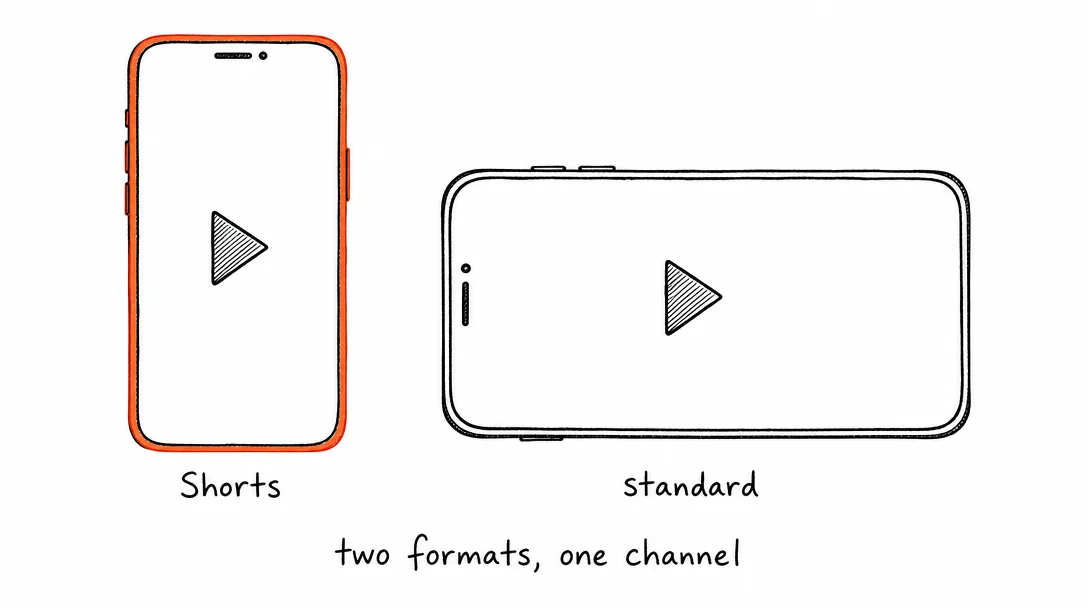
YouTube Shorts Specs
Any vertical 9:16 video up to 3 minutes is automatically classified as a Short. No hashtag required, though #Shorts can help with initial discovery.
| Setting | Value |
|---|---|
| Aspect ratio | 9:16 vertical, required for Shorts classification |
| Resolution | 1080×1920px recommended (1080p), minimum 720×1280px |
| Max length | 3 minutes (180 seconds) |
| Min length | 15 seconds recommended for best distribution |
| File format | MP4, MOV, AVI, WMV, FLV, or WebM |
| Video codec | H.264 (recommended), H.265, VP9 |
| Audio codec | AAC or MP3 |
| Frame rate | 24–60fps (60fps recommended for smooth playback) |
| Max file size | 256GB or 12 hours, whichever is less |
| Max bitrate | No hard limit; 8Mbps+ recommended for 1080p |
YouTube Standard Video Specs
Standard (long-form) YouTube videos use landscape 16:9 by default. Xroad Studio also supports posting standard videos to YouTube.
| Setting | Value |
|---|---|
| Aspect ratio | 16:9 horizontal (standard), 4:3 and 1:1 also accepted |
| Recommended resolution | 1920×1080px (1080p HD) |
| Accepted resolutions | 2160p (4K), 1440p, 1080p, 720p, 480p, 360p, 240p |
| Max length | Unlimited for verified accounts; 15 min default for unverified |
| File format | MP4, MOV, AVI, WMV, FLV, WebM, MPEG-PS, 3GPP |
| Max file size | 256GB |
| Thumbnail | 1280×720px, JPEG or PNG, max 2MB |
| Title length | Max 100 characters |
| Description | Max 5,000 characters; first 2-3 lines appear in search results |
YouTube Compression: What Happens After You Upload
Understanding YouTube's compression pipeline helps you upload in a way that preserves the most quality, particularly relevant for YouTube Shorts dimensions, where mobile display magnifies quality differences.
When you upload a video, YouTube processes it through multiple passes. First, a quick low-resolution version is available within seconds (360p or 480p). Then 720p and 1080p versions process over the next few minutes. 4K processing can take an hour or more for long videos. If you check your video immediately after upload, you're seeing the low-res first pass, not the final quality.
What this means for Shorts: Don't evaluate quality on a Shorts video within the first 10-15 minutes of upload. The final processed version will be sharper. This catches many creators who re-upload unnecessarily, thinking there's a quality problem.
Upload settings that help quality survive compression: MP4, H.264, constant bitrate, 1080x1920px, 10-15Mbps for Shorts. Higher bitrate gives YouTube's encoder more data to sample from during its own re-encoding. The output bitrate will be lower, but the quality is better when the source is higher.
Audio: YouTube normalizes audio to -14 LUFS. If your audio is louder than that, YouTube will reduce the level, which can introduce distortion if you've hard-clipped the source. Master audio to -14 LUFS before upload to control exactly what you're submitting.
YouTube Shorts vs TikTok vs Instagram Reels: Spec Comparison
All three platforms use vertical 9:16 video at 1080x1920px as their primary short-form format. The specs are close enough that one export works across all three, but there are specific differences worth knowing.
Duration limits: YouTube Shorts maxes at 3 minutes (180 seconds). TikTok allows up to 10 minutes. Instagram Reels caps at 90 seconds for most accounts. If your content is 2-3 minutes, YouTube Shorts is the only short-form feed that supports it natively.
File size: YouTube accepts up to 256GB, essentially unlimited. TikTok caps at 287.6MB on mobile. Instagram Reels caps at 1GB. YouTube Shorts dimensions allow much larger source files, which means better quality after YouTube's compression.
Codec: YouTube supports H.264, H.265, VP9, and more. TikTok accepts H.264 and H.265. Instagram Reels accepts H.264 only. Export in H.264 and it works on all three.
Discovery: YouTube Shorts is classified automatically by aspect ratio, no hashtag needed, but #Shorts can help early. TikTok has the most aggressive discovery algorithm for new content. Instagram Reels favors accounts with existing engagement history.
The cross-platform workflow: export H.264, 1080x1920px, under 60 seconds, under 287MB. Post to YouTube Shorts, TikTok, and Instagram Reels with one upload in Xroad Studio.
Shorts vs. Standard Video: What Gets More Reach?
Shorts and standard videos serve different purposes on YouTube. Shorts feed is designed for discovery, viewers who don't follow you can see your content based on topic and engagement. Standard videos perform best with subscribers and search traffic.
For new channels, Shorts are the fastest path to reach. The algorithm actively distributes Shorts to non-subscribers. Standard videos require SEO and subscriber base to get traction.
For creators with an existing audience, standard videos drive more watch time, which is YouTube's primary monetization metric. Shorts build audience; standard videos monetize it. Full upload requirements are documented in the YouTube upload encoding settings guide.
All platform specs
Instagram·TikTok·Facebook·X (Twitter)·LinkedIn·Pinterest·Threads·Bluesky
Once you know the specs, schedule from one content calendar, keep every post on-brand with Xroad's brand kit, or see pricing.
FAQ: YouTube Shorts Specs
Any video uploaded in 9:16 vertical format up to 3 minutes long is automatically classified as a Short. YouTube uses the vertical aspect ratio to detect Shorts, you don't need to add a #Shorts tag, though it can help with discovery.
Related Guides
Apr 26, 2026 · 10 min read
How to Post to 9 Platforms at Once
Stop logging in 9 times. Schedule everything, Instagram, TikTok, YouTube, LinkedIn, and more, from one place.
Apr 26, 2026 · 7 min read
How to Post to Instagram and TikTok at Once
Upload once and publish to both Instagram and TikTok simultaneously. No double-uploading, no app switching.
May 19, 2026 · 8 min read
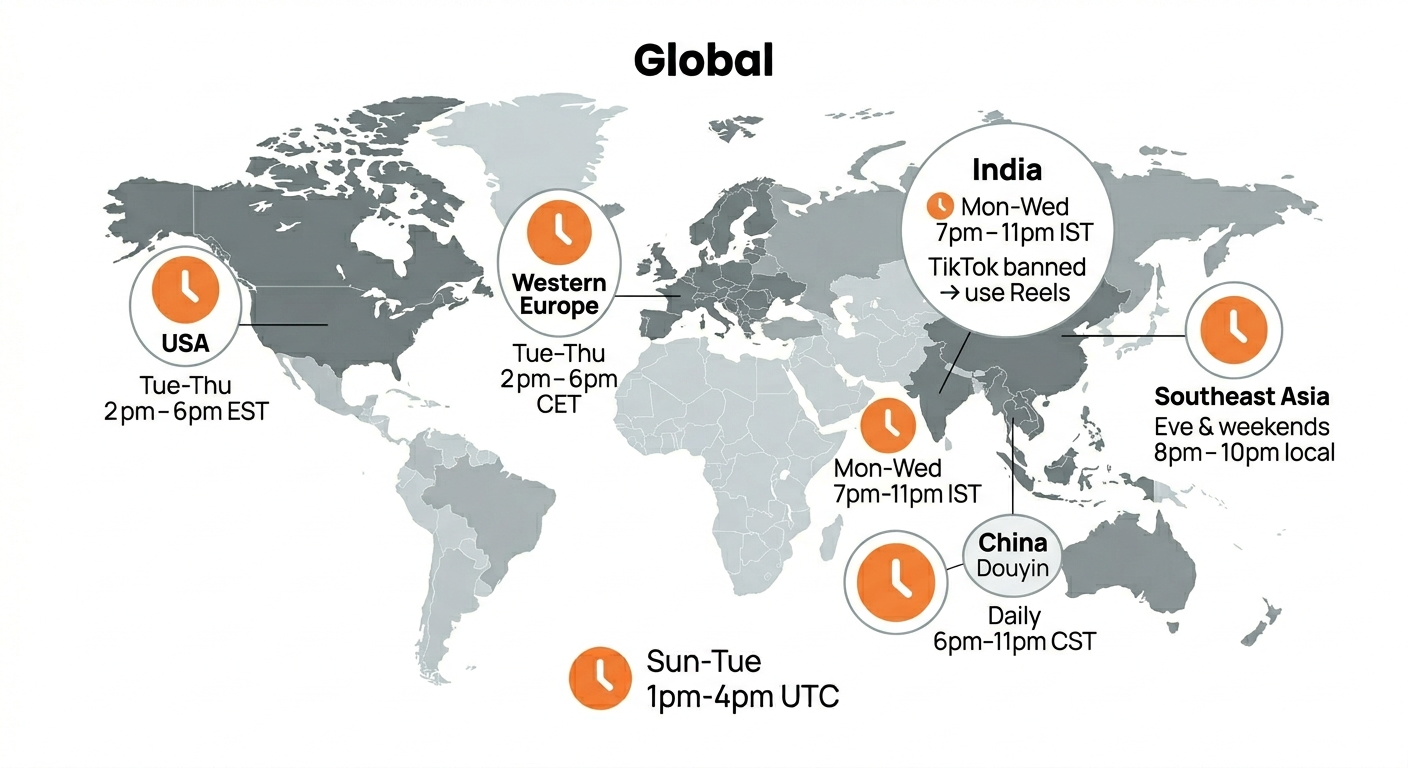
Best Time to Post on TikTok in 2026 (By Region)
Data from 2 billion TikTok engagements. Best posting times broken down by region, USA, Europe, Southeast Asia, and global audiences.
Your brand. One platform. Always on
Create, edit, and post from a single studio.
Start for freeXroad posts to YouTube Shorts at the correct dimensions automatically.