Bluesky Video and Image Sizes 2026
Bluesky image size requirements for 2026: the 1MB limit, video specs, and post character limits, updated monthly.
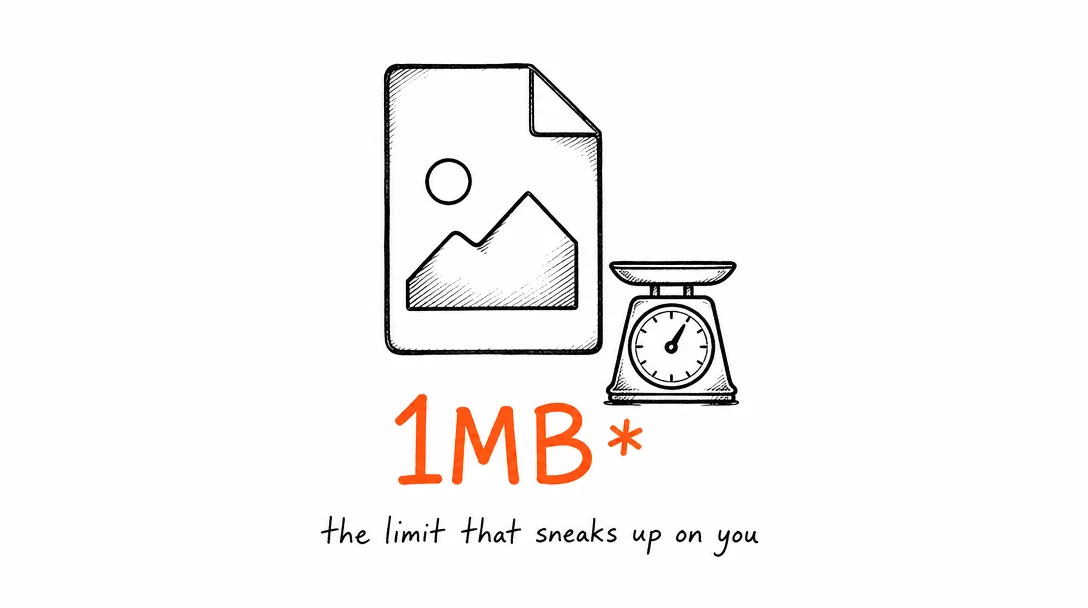
Bluesky Image Specs
The 1MB per image limit is the spec that trips up most creators coming from Instagram or X. Always compress images before posting. JPEG at 80% quality and 1200×675px resolution typically lands well under 500KB.
| Setting | Value |
|---|---|
| Max file size per image | 1MB, strict limit, upload fails if exceeded |
| Max images per post | 4 |
| Recommended size | 1200×675px (16:9), safe for all feed placements |
| Square option | 1080×1080px (1:1) |
| File formats | JPEG, PNG |
| Compression tip | Export JPEG at 80% quality, rarely exceeds 500KB at 1200×630px |
| Alt text | Strongly recommended, cultural norm on Bluesky, not optional |
Bluesky Video Specs
Native video on Bluesky is relatively new. The 50MB limit requires lower bitrate exports than other platforms, plan for this when exporting from your editor.
| Setting | Value |
|---|---|
| Max file size | 50MB |
| Max length | 60 seconds |
| Max videos per post | 1 |
| File format | MP4 |
| Video codec | H.264 |
| Aspect ratio | Any, 16:9 landscape and 9:16 vertical both display natively |
| Recommended resolution | 1280×720px (720p), keeps file size under 50MB at reasonable quality |
| Recommended bitrate | 4–6 Mbps, balances quality and file size |
Bluesky Post Limits
| Setting | Value |
|---|---|
| Character limit | 300 characters per post |
| Links | Count toward character limit; Bluesky shortens internally |
| Hashtags | Supported, less algorithmic weight than Instagram but useful for discoverability |
| Mentions | @handle.bsky.social format |
| Threads / replies | Full thread support, numbered threads perform well on the platform |
Bluesky vs X (Twitter): Spec Comparison for Creators
Bluesky and X (Twitter) compete for the same short-form text audience, and their media specs are close enough that the same content works on both. Here's what differs in their Bluesky image size requirements and X specs.
Image file size: Bluesky enforces a strict 1MB per image limit (AT Protocol constraint). X allows up to 5MB for JPEG and PNG. This is the biggest practical difference, images that upload instantly to X may fail on Bluesky. Always compress to under 1MB before posting to Bluesky.
Images per post: Both platforms allow up to 4 images per post. Display is similar: 2x2 grid for 4 images, side-by-side for 2.
Video: X allows up to 512MB and 2:20 for standard accounts (3 hours for X Premium). Bluesky caps at 50MB and 60 seconds. For short clips under 60 seconds, the same export works on both, just keep it under 50MB. For longer content, X is the only option.
Character limits: Bluesky has 300 characters. X standard is 280. They're close enough to write one caption that works on both with minor tweaks.
Algorithm: X has a complex ranking algorithm that weights engagement, account age, and X Premium status. Bluesky uses a chronological feed by default, posts display in order of publication, no algorithmic sorting unless the user switches to an algorithmic feed. For new accounts, Bluesky organic reach is more predictable.
The practical cross-posting rule: compress images to under 1MB (works on both), export video under 50MB and 60 seconds (works on both), write captions under 280 characters (works on both). One asset, two platforms.
Scheduling on Bluesky: Third-Party Tools and What to Know
Bluesky is built on the AT Protocol, which is an open standard. This means third-party scheduling tools can integrate with Bluesky without waiting for a closed API program, unlike X, which restricts API access, or Threads, which requires Meta developer approval.
How AT Protocol scheduling works: Apps authenticate with your Bluesky handle and app password (not your main account password, Bluesky has a separate app password system for third-party access). The app posts on your behalf via the AT Protocol API. You can revoke access at any time from your Bluesky security settings.
App passwords: Generate a Bluesky app password at bsky.app → Settings → Privacy and Security → App Passwords. Name it after the tool you're giving access to. Each tool gets its own app password, so you can revoke one tool's access without affecting others.
What schedulers can post: Text posts, image posts (up to 4 images, each under 1MB), video posts (MP4, under 50MB), and threaded replies. The full Bluesky image size requirements and video limits apply to scheduled posts the same as manual ones.
Xroad Studio: Connect Bluesky by generating an app password and entering it in Xroad's settings. Xroad automatically compresses images to under 1MB before posting, the most common failure point for new Bluesky integrations. Schedule Bluesky posts alongside your other platforms from one dashboard.
The 1MB Limit: How to Stay Under It
The most common reason Bluesky posts fail is exceeding the 1MB image limit. Unlike X (5MB) or Instagram (8MB), Bluesky's AT Protocol has a much tighter constraint. Here's how to reliably stay under it:
For JPEG: Export at 80% quality at 1200×630px. Most images land at 200–600KB, well under the limit. Avoid 100% quality exports; they're 3–5MB.
For PNG: PNG files are often too large for Bluesky. Convert to JPEG before uploading unless you specifically need transparency.
Xroad Studio automatically optimizes images for each platform's limits before posting, so you never hit a failed upload due to file size. The 1MB constraint is defined by the AT Protocol spec that Bluesky runs on.
All platform specs
Instagram·TikTok·YouTube·Facebook·X (Twitter)·LinkedIn·Pinterest·Threads
Once you know the specs, schedule from one content calendar, keep every post on-brand with Xroad's brand kit, or see pricing.
FAQ: Bluesky Video and Image Specs
Bluesky uses the AT Protocol, a decentralized architecture where data is stored across user-controlled repositories. The 1MB limit is a constraint of the underlying protocol's blob storage design, not an arbitrary choice. In practice: export JPEG at 80% quality and resize to 1200×630px, most images hit well under 500KB at those settings.
Related Guides
Apr 26, 2026 · 10 min read
How to Post to 9 Platforms at Once
Stop logging in 9 times. Schedule everything, Instagram, TikTok, YouTube, LinkedIn, and more, from one place.
Apr 26, 2026 · 7 min read
How to Post to Instagram and TikTok at Once
Upload once and publish to both Instagram and TikTok simultaneously. No double-uploading, no app switching.
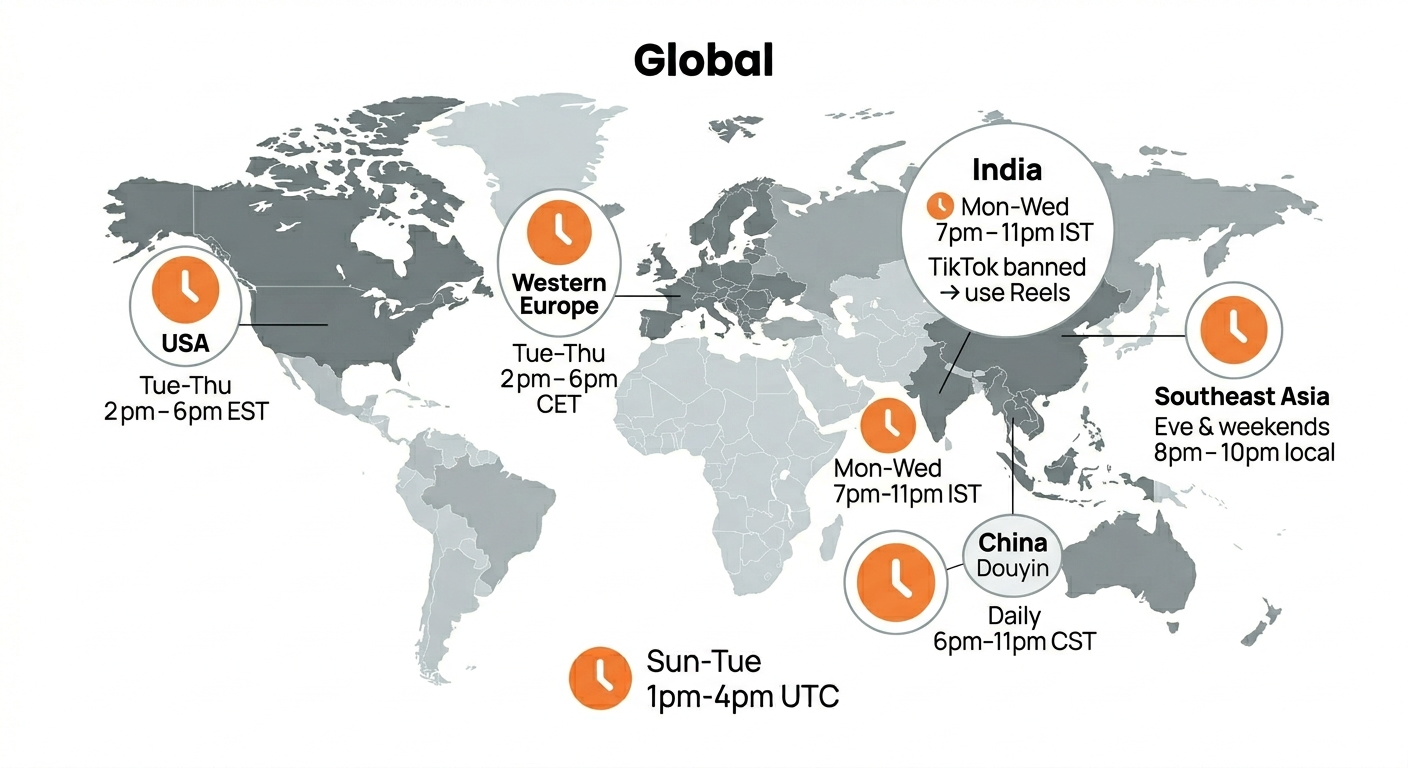
May 19, 2026 · 8 min read
Best Time to Post on TikTok in 2026 (By Region)
Data from 2 billion TikTok engagements. Best posting times broken down by region, USA, Europe, Southeast Asia, and global audiences.
Your brand. One platform. Always on
Create, edit, and post from a single studio.
Start for freeXroad auto-posts to Bluesky, handling the 1MB image limit automatically.