Best AI Tools for Creating and Scheduling Social Media Posts
Search for the best AI tools for creating and scheduling social media posts and most results are scheduler roundups with a paragraph about "AI captions" bolted on.
What "AI tools for creating and scheduling social media posts" actually means
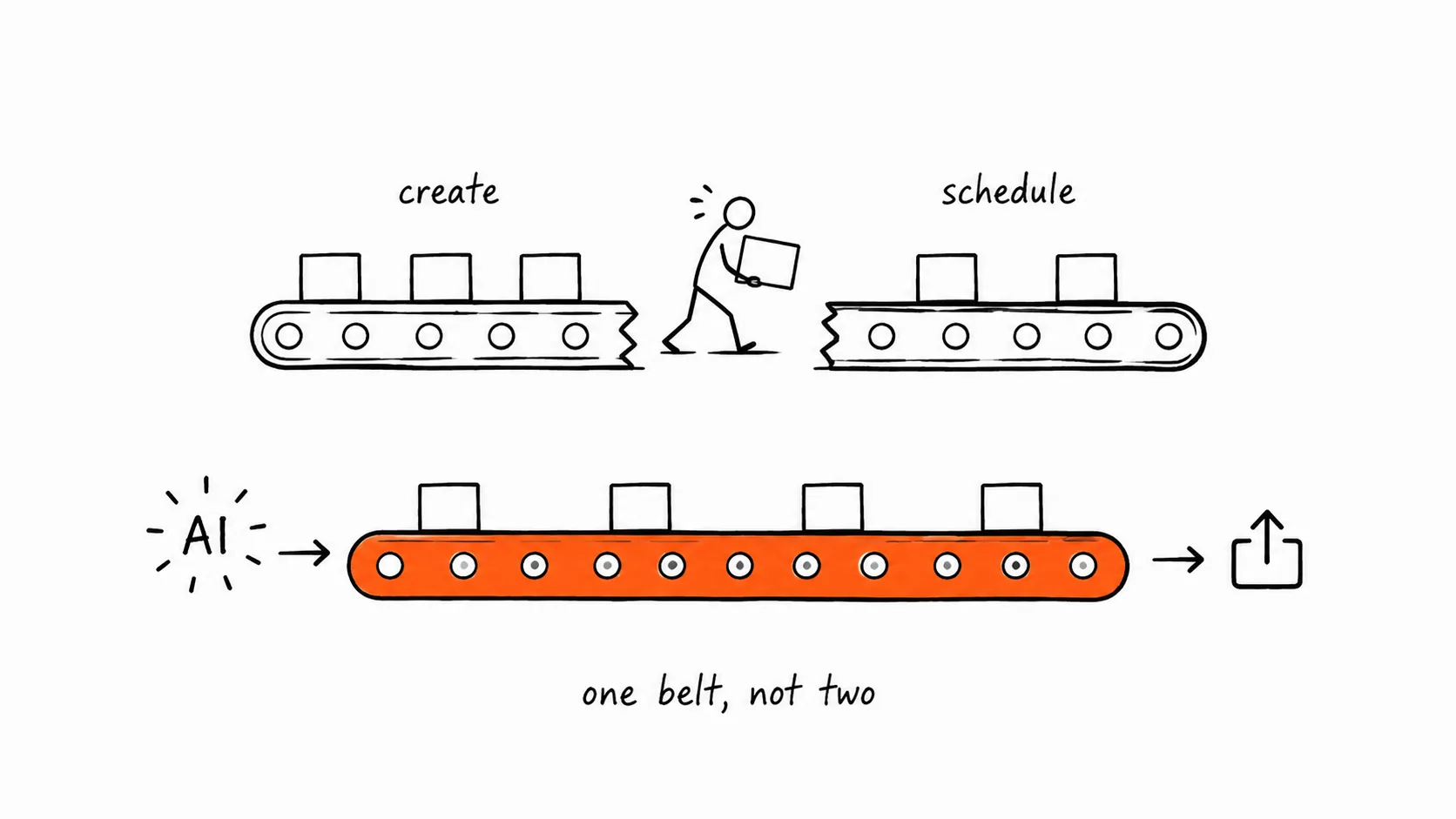
Two different product categories get marketed under this phrase. The first is scheduling platforms that added an AI writing assistant on top of a calendar they already had, caption rewrites, hashtag suggestions, a "generate 3 variations" button for text. The second is platforms built around AI generation first, where the software produces the image, video, or copy from a brief or brand kit, and scheduling is the last step in that same workflow, not a separate app you paste content into. If your workflow today is "write in a doc, design in Canva, upload to a scheduler," you're stitching together tools from both categories by hand. The tools below are grouped by which side of that line they actually sit on, based on what each vendor's current product does, not what its marketing page implies.
Which tools generate content, not just schedule it?
Predis.ai is one of the more complete generation-first tools: it produces static posts, carousels, and short videos from a text prompt or competitor URL, plus scheduling and basic analytics across major platforms. Ocoya takes a similar approach, pairing AI copywriting and image generation with a content calendar and bulk scheduling, leaning toward e-commerce and agency use cases. Xroad Studio also sits in this category: set a brand kit once (colors, logo, tone of voice, image style) and every AI-generated image, video, or caption applies it automatically, then publishes or schedules across nine platforms, Instagram, TikTok, YouTube, Facebook, X, LinkedIn, Pinterest, Threads, and Bluesky, from the same dashboard.
By contrast, Buffer, Later, and Publer are scheduling-first products that added AI assistance for text, caption drafts, rewrites, hashtag ideas, without native image or video generation in the core scheduling flow. Vista Social sits in between: primarily a scheduling and social inbox tool with AI caption help, aimed more at agencies managing many client accounts than at generating the visual asset itself. Jasper and Canva are worth naming for a different reason: Jasper is a strong AI writer with no native scheduling, and Canva's design tools are excellent but its scheduling feature is a bolt-on, not a brand-kit-driven generation engine. Both are useful pieces of a stack, not single-tool answers to "create and schedule."
Comparison: content generation vs. pure scheduling
| Tool | Generates content or just schedules? | Starting price |
|---|---|---|
| Xroad Studio | Generates images, video, and copy from a brand kit; schedules to 9 platforms | $29/mo |
| Predis.ai | Generates posts, carousels, and short video from a prompt; schedules and reports | Free tier; paid plans from roughly $25-32/mo |
| Ocoya | Generates copy and images; schedules and bulk-plans content | Paid plans from roughly $15-20/mo (billed annually) |
| Vista Social | Mostly scheduling and social inbox; AI caption assist, not asset generation | From roughly $39/mo |
| Publer | Scheduling-first with AI text assist; no native image/video generation | Free tier; paid plans from roughly $12-15/mo |
| Buffer | Scheduling-first with an AI assistant for captions and ideas | Free tier; paid plans from roughly $6-15/mo per channel |
| Later | Scheduling-first with AI caption and hashtag tools, visual calendar | Free tier; paid plans from roughly $16-25/mo |
| Jasper + Canva (stacked) | Strong generation separately (writing + design); no unified scheduling | Two separate subscriptions required |
Prices for third-party tools change often and vary by billing cycle and plan tier, so treat these as directional rather than exact, check each vendor's pricing page before you commit.
Do you actually need a brand kit, or just a caption generator?
If your team already has a designer and a copywriter, and the gap is only "we forget to post consistently," a pure scheduler like Buffer, Later, or Publer solves the real problem cheaply, and their AI text features are a bonus, not a requirement. But if the bottleneck is producing the post itself, a solo social media manager covering five accounts, an agency onboarding a client with no asset library, or an e-commerce brand turning product photos into on-brand posts daily, a tool that generates from a brand kit removes a step instead of assisting with one you still do by hand. That's the real decision, more than any feature checklist: are you short on time to schedule, or short on hands to create?
How does Xroad Studio fit, and where does it fall short?
Xroad Studio was built for that second scenario. You configure a brand kit once, colors, logo, tone of voice, image style, and the AI applies it to every image, video, and caption it generates afterward, so a solo operator or small agency team doesn't re-explain brand guidelines for every post. It publishes and schedules across nine platforms, includes a content calendar, social analytics, and post-production and image-editing tools, and for teams building automated content pipelines it exposes a hosted MCP server (for Claude Code, Cursor, and other MCP clients) plus a REST API, which most tools in this category don't offer. Plans run $29/mo (500 AI credits, 1 brand kit, 50 posts), $59/mo (1,000 AI credits, 2 brand kits, 150 posts, analytics), and $199/mo (3,500 AI credits, 5 brand kits, 600 posts, analytics).
Where it's honestly weaker: it launched in 2026, so its integration ecosystem is smaller than tools like Buffer or Later that have had years to build theirs out. It has no social listening feature yet, so monitoring brand mentions or competitor activity isn't part of the product. And it lacks the advanced role-based permission structures larger enterprises expect for managing many team members across many client accounts, agencies with complex approval chains may find tools built for that scale a better fit today. It's strong if your priority is generating on-brand content fast and publishing without leaving one tool, weaker if you need deep enterprise permissioning or listening features right now.
What should you actually pick?
Match the tool to the bottleneck, not the marketing category. If creation is the slow part, prioritize Xroad Studio, Predis.ai, or Ocoya, and compare brand-consistency features directly since that determines whether AI output is usable without heavy editing. If creation is already solved and you need scheduling reliability, approval flows, or a social inbox, Buffer, Later, Publer, or Vista Social will serve you better and usually cost less. A quick trial on one generation-first and one scheduling-first tool, using your actual brand assets, will tell you more than any comparison article.
Where to Start
The real question isn't which tool has the longest feature list, it's whether your bottleneck is creating content or organizing its publication, since those are different problems. If creation is the slow part, Xroad Studio's pricing page and features page lay out what's included at each plan level so you can judge the fit against your own posting volume before trying it.
FAQ: Best AI Tools for Creating and Scheduling Social Media Posts
A scheduler organizes and publishes posts on a calendar and may offer AI help writing captions or hashtags, but you still create the image or video elsewhere. A content generator produces the actual visual and written asset from a prompt or brand kit, and increasingly handles scheduling in the same workflow, removing the manual handoff between creating and publishing.
Related Guides
Sep 15, 2026 · 7 min read
Best AI Tools for Small Business Marketing in 2026 (Free and Paid)
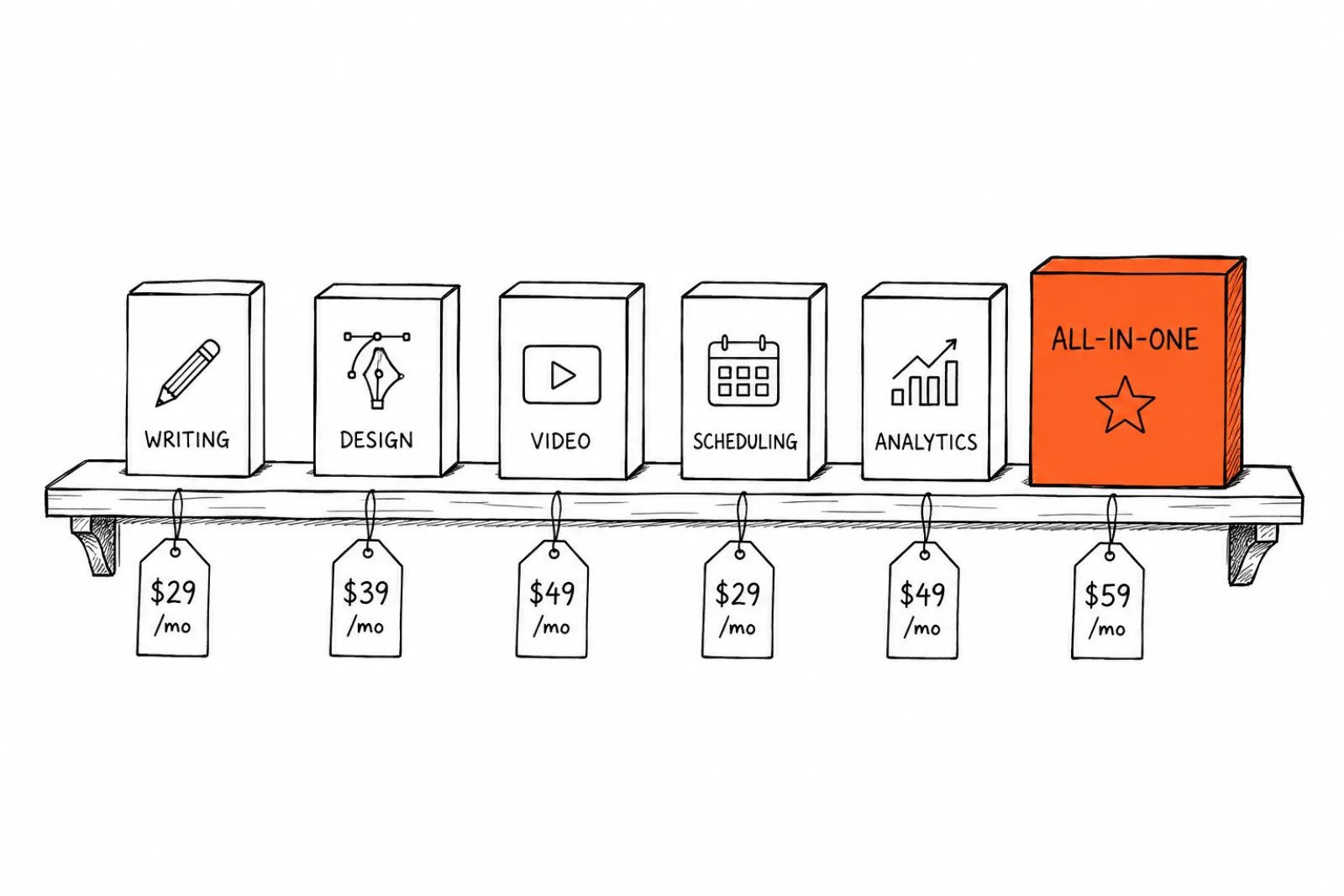
ChatGPT / Claude (free tier available, paid from ~$20/mo). General-purpose writing assistance for captions, emails, and blog drafts. Strength: flexible.
Nov 10, 2026 · 7 min read
Best AI Social Media Management Tools in 2026 (Tested and Ranked)
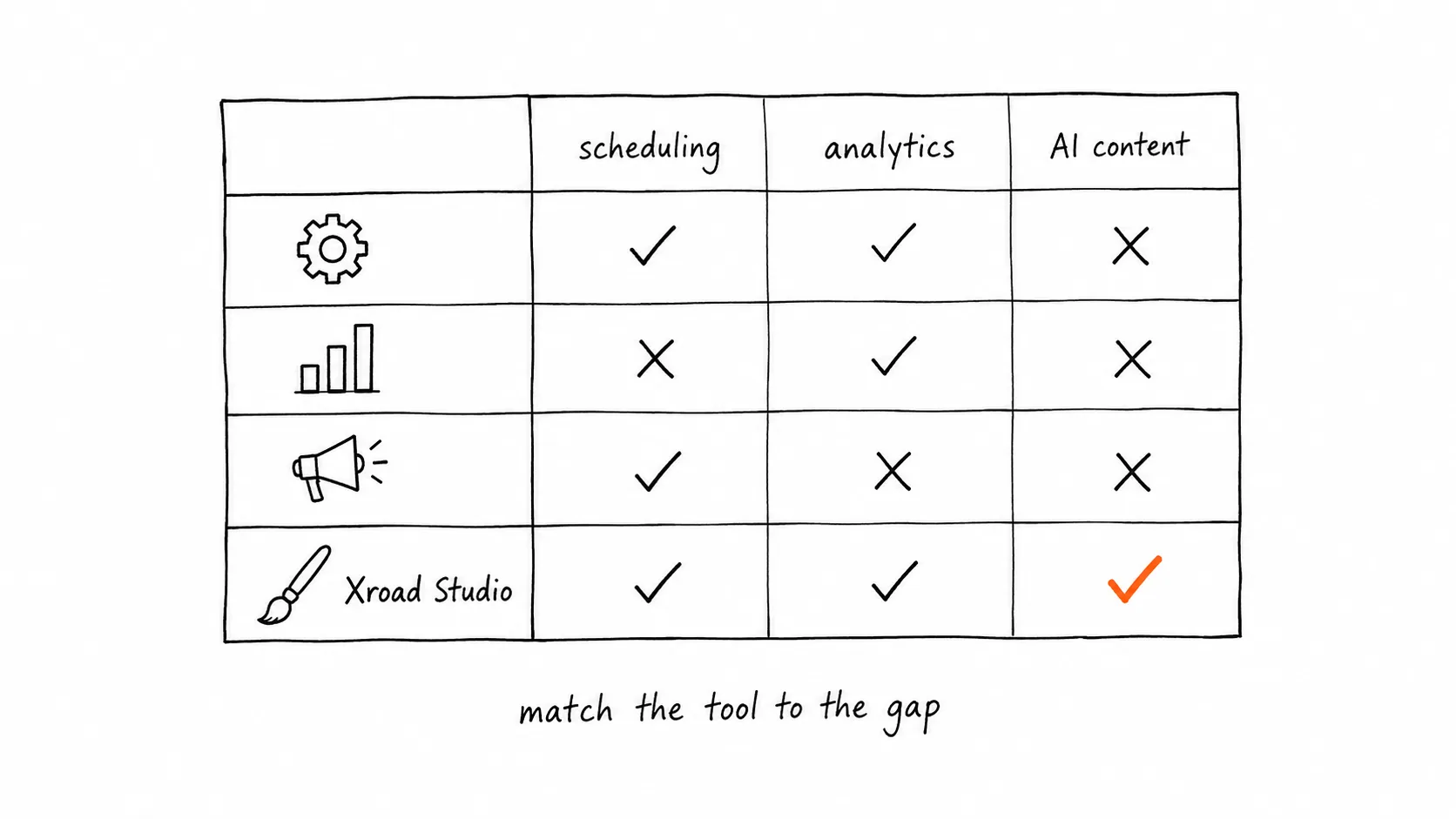
Three jobs get lumped under "social media management software": scheduling and publishing, analytics, and AI content generation.
Apr 26, 2026 · 10 min read
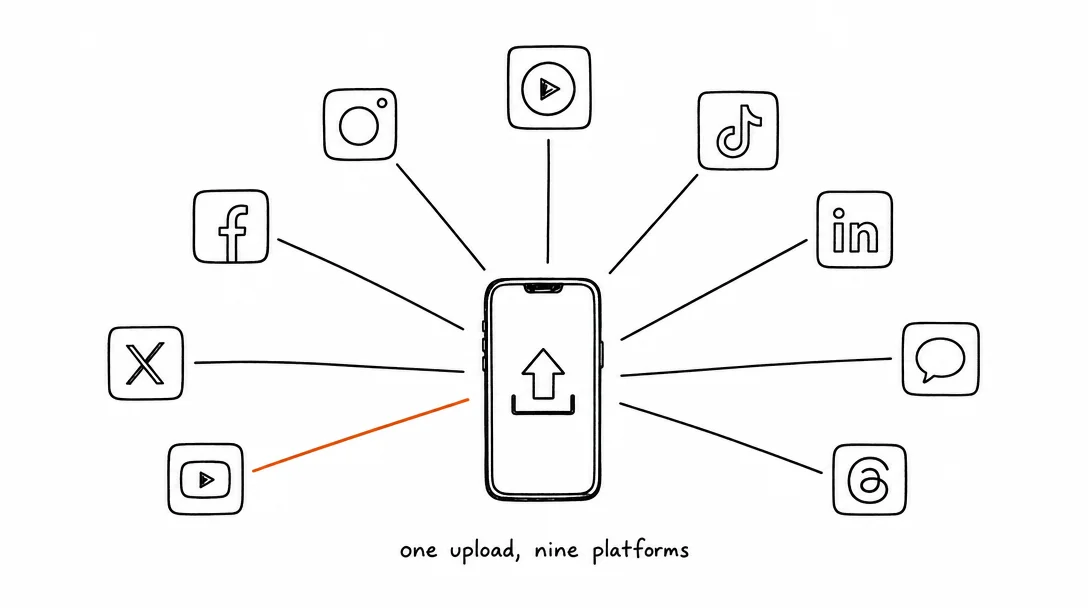
How to Post to 9 Platforms at Once
Stop logging in 9 times. Schedule everything, Instagram, TikTok, YouTube, LinkedIn, and more, from one place.
Your brand. One platform. Always on
Create, edit, and post from a single studio.
Start for freeSchedule every platform from one place, automatically.